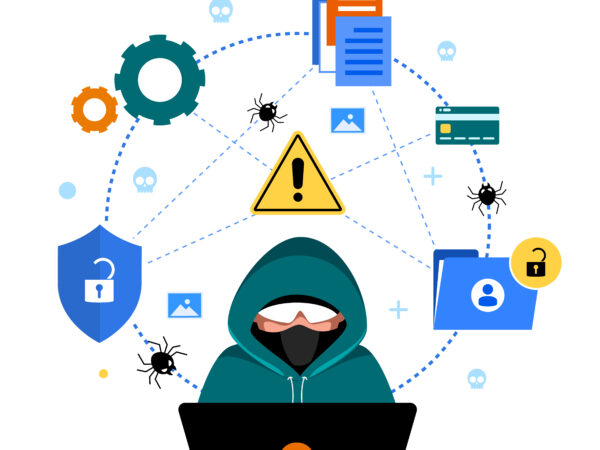
Password reuse is a common practice among internet users, but it poses significant risks to website owners and their users. When users reuse passwords across multiple websites, they increase the risk of credential stuffing attacks, data breaches, and identity theft. In this article, we’ll explore the risks of password reuse and provide tips on how website owners can protect themselves and their users.
Risks of Password Reuse
1. Credential Stuffing Attacks: Credential stuffing attacks occur when hackers use automated tools to try stolen login credentials on multiple websites. If a user has reused their password on multiple sites, a single data breach can compromise their accounts on all those sites.
2. Data Breaches: Data breaches can expose user credentials, including passwords. If a user has reused their password on multiple sites, a data breach on one site can put their accounts on other sites at risk.
3. Identity Theft: Identity theft can occur when hackers gain access to a user’s account and use their personal information to commit crimes or steal sensitive data.
How Website Owners Can Protect Themselves
1. Implement Strong Password Policies: Website owners can implement strong password policies that require users to create unique and complex passwords.
2. Use Password Hashing and Salting: Website owners can use password hashing and salting to protect user passwords from being stolen in the event of a data breach.
3. Implement Multi-Factor Authentication: Multi-factor authentication adds an extra layer of security to user accounts, making it more difficult for hackers to gain access.
4. Monitor for Suspicious Activity: Website owners can monitor their site for suspicious activity, such as multiple failed login attempts from the same IP address.
5. Educate Users: Website owners can educate their users about the risks of password reuse and provide guidance on how to create strong and unique passwords.
Best Practices for Password Management
1. Use a Password Manager: Password managers can help users generate and store unique and complex passwords for each of their accounts.
2. Avoid Password Reuse: Users should avoid reusing passwords across multiple sites and instead use a unique password for each account.
3. Use Two-Factor Authentication: Two-factor authentication adds an extra layer of security to user accounts, making it more difficult for hackers to gain access.
4. Regularly Update Passwords: Users should regularly update their passwords and avoid using the same password for extended periods.
5. Use a Password Policy: Website owners can implement a password policy that requires users to create strong and unique passwords.
Tools for Password Management
1. Password Managers: Password managers like LastPass, 1Password, and Dashlane can help users generate and store unique and complex passwords.
2. Two-Factor Authentication Tools: Two-factor authentication tools like Google Authenticator and Authy can add an extra layer of security to user accounts.
3. Password Strength Checkers: Password strength checkers like Password Meter can help users create strong and unique passwords.
In conclusion, password reuse poses significant risks to website owners and their users. By implementing strong password policies, using password hashing and salting, and educating users about password security, website owners can protect themselves and their users from the risks of password reuse. Additionally, using password managers, two-factor authentication tools, and password strength checkers can help users create and manage strong and unique passwords.
If you need to create/revamp a website, we’ll be glad to help out.
Kindly reach out to us now Via:
🌐 www.timestweb.net ; www.timestweb.com
📧 start@timestweb.net
📞 – +234 813 587 7642; +234 915 745 2665